
Enterprise workflow automation: replacing emails, spreadsheets, and manual tracking
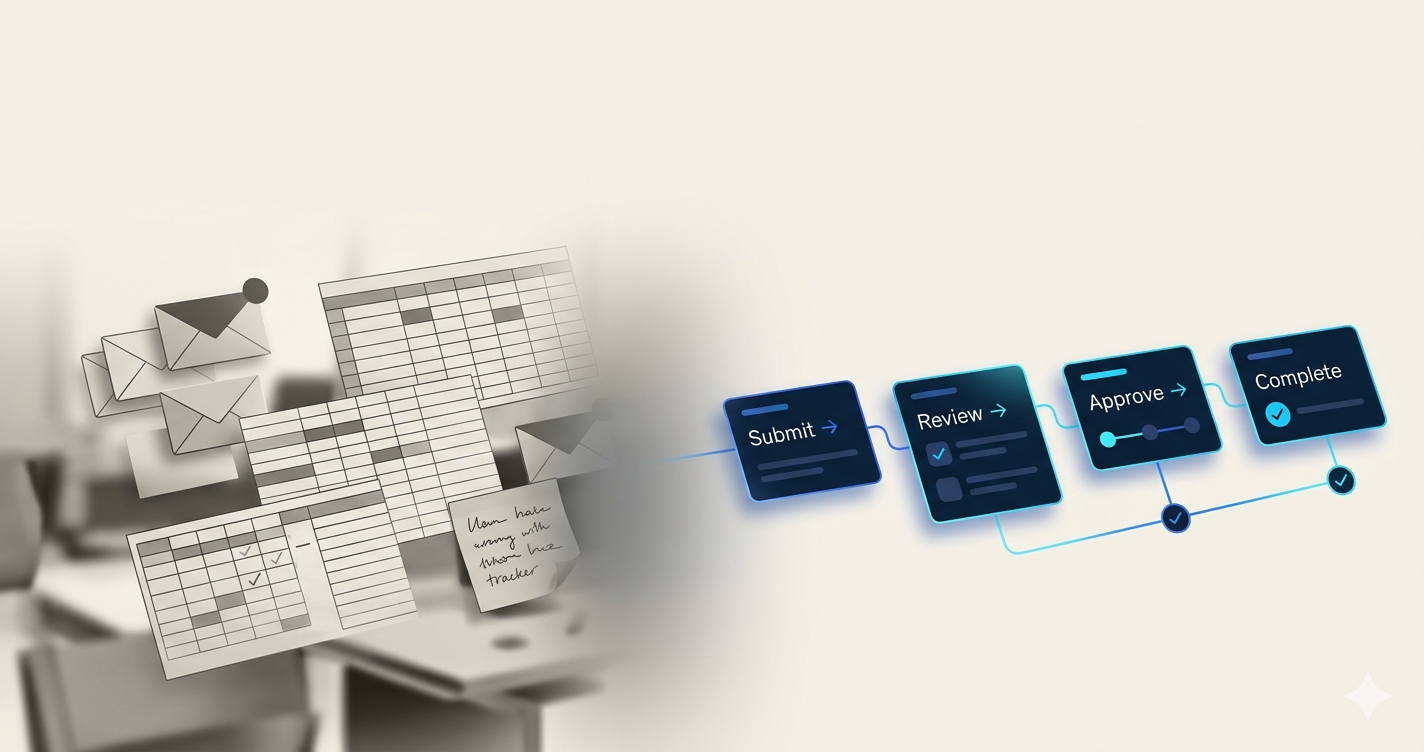
When the tools that built your business become the thing holding it back
Most enterprise operations were not designed — they evolved. A process started as a quick email. Someone built a spreadsheet to track it. A shared folder got added. Five years later, a new manager inherited the whole thing without documentation, made a few changes, and now nobody fully understands how it works — but everyone depends on it.
This pattern plays out across HR, Finance, IT, and Operations in organisations of every size. Research shows 80% of enterprises still run core processes on manual tools. This is not about small companies without resources. It is about inertia — and the quiet but compounding cost of it.
5 signs your enterprise has outgrown emails and spreadsheets
These are the signals that show up before the problem becomes a crisis. If more than two of these are true for your organisation, the cost of staying manual is already higher than the cost of changing.
1. You cannot tell where a request currently sits without asking someone- If tracking a purchase order, leave request, or vendor approval requires you to email someone for a status update, your process has no real visibility. You are managing through trust, not data.
2. Decisions are getting made over email with no formal record- When a Finance approval or an HR policy exception happens in an email thread, it is effectively undocumented. If an auditor asks to see the approval trail for that transaction six months from now, the honest answer is "it's somewhere in someone's inbox."
3. Your spreadsheet has one person who really understands it- Every organisation has one. The spreadsheet that handles commission calculations, headcount tracking, or vendor reconciliation — and only Kyle knows which cells not to touch. When Kyle is on leave, the process either waits or breaks.
4. Version conflicts are a regular occurrence- Two people edit the same file simultaneously. Someone overwrites a formula. A new version gets emailed around and nobody is sure which one is current. Research from Premier CS puts the spreadsheet error rate at approximately 90%, and the consequences range from minor corrections to material financial errors.
5. Scale makes everything slower, not faster- When you were processing 50 invoices a month, email worked. At 500 invoices, the same process creates a backlog that requires someone full-time just to manage the queue. If your operational overhead grows proportionally with transaction volume, the process is not scalable — it is fragile.
The security and compliance risk most operations teams underestimate
This is where the conversation goes beyond efficiency — and where NetNXT's perspective as a security and AI automation company matters.
Emails and spreadsheets are not just slow. They are data exposure risks. Consider what typically happens in an email-based approval workflow:
Sensitive financial data sits in personal inboxes with no access controls
Documents with vendor bank details, payroll figures, or contract terms get forwarded freely
There is no audit log of who saw what, when, and what they did with it
An employee leaving the organisation takes six months of process context with them — stored in email, not in a system
A 2021 incident in a UK health authority saw 16,000 COVID test results lost because an Excel file hit its row limit. That is not a one-off — it is what happens when organisations treat spreadsheets as enterprise systems.
From a compliance standpoint, every financial decision made over email is unauditable by design. GDPR, SOC 2, ISO 27001, and most industry-specific frameworks require demonstrable, structured records of how decisions were made and who authorised them. Email threads do not meet this standard.
Enterprise workflow automation closes this gap — not just by speeding things up, but by making every action logged, every decision structured, and every data point controlled. Access to sensitive workflow data is role-based, not inbox-based. The audit trail is not reconstructed after the fact — it is generated automatically, in real time, as the process runs.
What enterprise workflow automation actually replaces — and what it does not
This distinction matters because the fear around automation is often that it replaces people. It does not. It replaces coordination overhead.
Here is a direct comparison of what changes:
What you have now | What workflow automation replaces it with |
|---|---|
Email thread with an approval request | Structured approval routed to the right person automatically, with deadline and escalation |
Shared spreadsheet updated manually | Real-time status dashboard updated automatically as each step completes |
Someone chasing document signatures over email | Automated document routing with e-signature collection and follow-up |
Manual data entry from PDF into ERP | AI extraction from purchase orders, invoices, and forms directly into your systems |
Status update meetings because nobody knows where things stand | Live operational visibility — every stakeholder sees the current state in one view |
Knowledge held by one person who built the process | Documented, repeatable, auditable workflow that any team member can manage |
The people do not disappear. The administrative coordination layer does — and what is left is decision-making, relationships, and actual work.
The 4 operational shifts that happen after automation
Organisations that move off email and spreadsheet-driven processes report the same set of changes, consistently:
1. Approval cycle times drop significantly- Invoice approvals that ran over five days on email complete in hours on an automated platform. The time is not spent in the process — it is spent waiting for someone to notice the email. Remove the waiting and the process itself is much faster than it appeared.
2. Cross-functional processes stop breaking at the handoffs- When Finance, HR, and IT each maintain separate trackers for the same employee event — say, a new hire — the handoffs between them are where things fall through. Automation connects those departments into one process that moves as a single unit.
3. Compliance becomes a byproduct of operations, not a separate effort- Instead of compiling records for an audit after the fact, every workflow action is logged automatically. When an auditor asks for the approval history on a transaction, the system produces it immediately — not because someone kept records, but because the process generated them.
4. Operations can scale without proportional headcount growth- This is the structural shift. When a manual process handles 50 transactions and you scale to 500, the manual version requires more people. An automated process handles 500 the same way it handles 50 — with the same team, the same quality, and the same speed.
What to look for when replacing manual tracking with enterprise workflow automation
If you are evaluating platforms, these are the criteria that actually matter — not the feature checklist on a marketing page, but the capabilities that determine whether the system works at your scale and complexity:
End-to-end process coverage — Can it handle the full chain from submission to completion, across departments and systems? Or does it stop at one step and hand off manually?
Native integrations with your existing stack — Does it connect to your HRIS, ERP, CRM, and communication tools without custom development on your end?
Role-based access and data controls — Is sensitive data protected within the workflow, or does it flow freely to everyone who touches the process?
Audit trail quality — Is every action logged automatically in a searchable, exportable format, or does compliance require a separate effort?
Exception handling — What happens when a request falls outside the standard path? Does the system handle it intelligently or route it to a human queue?
Non-technical configuration — Can the teams who own the process build and adjust workflows without waiting on IT or a developer?
If you are still deciding whether to configure an existing platform or build something custom for your specific processes, that evaluation is worth doing before committing to an implementation approach.
Where to start if you are still running on emails and spreadsheets
The instinct is to start with the process that is most broken. That is not always the right call.
The right starting point is the process that is:
High frequency — it runs multiple times a week, across multiple people
Clearly defined — even if it is running manually, the steps and owners are understood
Measurable — you can track before and after (cycle time, error rate, volume handled)
For most enterprises, this is invoice approvals, employee onboarding coordination, or IT access requests. These are high-volume, rules-driven, and have a visible cost when they slow down.
Identifying where the highest-impact automation opportunities actually sit before you build is the step most organisations skip — and it is why many automation projects underdeliver in the first phase.
Once the first workflow is running and the results are visible, the case for expanding becomes self-evident. The question at that point is not whether to automate — it is which process to connect next.
How NetNXT builds enterprise workflow automation for operations teams
NetNXT's AI workflow automation platform is designed for the reality of enterprise operations — processes that span multiple departments, touch sensitive data, and have compliance requirements that a generic tool cannot address.
The implementation starts with process mapping — understanding how the workflow actually runs, not just how it was documented — before a single automated step is built. The result is a system where every transition is handled, every exception has a path, every action is logged, and every stakeholder has the visibility they need without anyone maintaining it manually.
Because NetNXT operates across both security and automation, the workflows we build are not just efficient — they are secure. Access controls, audit trails, and data governance are built into the architecture from day one, not added as an afterthought.
Whether you are replacing an email-based approval chain, moving a finance process off spreadsheets, or connecting HR, IT, and Operations into a single coordinated workflow, see what this looks like in practice with NetNXT's AI automation services.
The bottom line on moving beyond manual tools
Email and spreadsheets served a purpose. They are not going away — and they should not. But when they become the backbone of mission-critical enterprise processes, the risk profile changes. Decisions go undocumented. Data sits unprotected in personal inboxes. Processes break when the one person who understands the spreadsheet is unavailable. Audits become reconstruction exercises. Enterprise workflow automation does not remove the people — it removes the fragility. And in most organisations, that change is long overdue.
FAQs
1) What is enterprise workflow automation?
Enterprise workflow automation uses software to replace the manual coordination in business processes — routing approvals, tracking task completion, collecting documents, and generating audit records — automatically, based on defined rules and AI-driven logic. It removes the dependency on email threads, shared spreadsheets, and individual memory to keep processes moving.
2) Why are emails and spreadsheets a problem for enterprise operations?
Beyond inefficiency, they create security and compliance risks. Sensitive data sits unprotected in personal inboxes. Decisions made over email have no auditable record. Spreadsheet errors — which affect approximately 90% of shared files — can cascade into financial, compliance, or operational failures. At enterprise scale, these risks compound with every new employee, transaction, and process.
3) Which enterprise processes are best suited for workflow automation?
Invoice and purchase order approvals, employee onboarding and offboarding, IT access provisioning, HR policy exceptions, vendor onboarding, and compliance document collection are the strongest candidates. The common thread is high volume, defined steps, multiple stakeholders, and a clear cost when the process stalls or produces errors.
4) How long does it take to replace a manual process with an automated workflow?
A well-scoped, single-process automation — such as an invoice approval chain or an employee onboarding sequence — can typically go live within four to six weeks. The timeline depends more on integration complexity and process clarity than on the automation build itself. Organisations that map the actual process before building consistently see faster deployment and stronger adoption.
Your teams should not be spending their time managing processes that can manage themselves. Talk to NetNXT about which workflow to automate first — and what it looks like when it runs without anyone pushing it forward manually.